Introduction
Resolution is arguably the most critical parameter when selecting a TFT LCD Display Module Touch Screen. It directly determines image clarity, text readability, and the information density of your user interface (UI). A poor resolution choice can result in blurry text, cramped interfaces, wasted development costs, and degraded user experience. As the global TFT-LCD market continues to expand strongly—projected to grow from $126.77 billion in 2025 to $133.35 billion in 2026 at a CAGR of 5.2%—understanding how to match resolution to your application has never been more important.
This guide is designed for embedded system engineers, product managers, procurement specialists, and hardware designers who need to make informed decisions about TFT LCD Display Module Touch Screen resolution across industrial HMI, medical devices, automotive dashboards, consumer electronics, and IoT terminals.
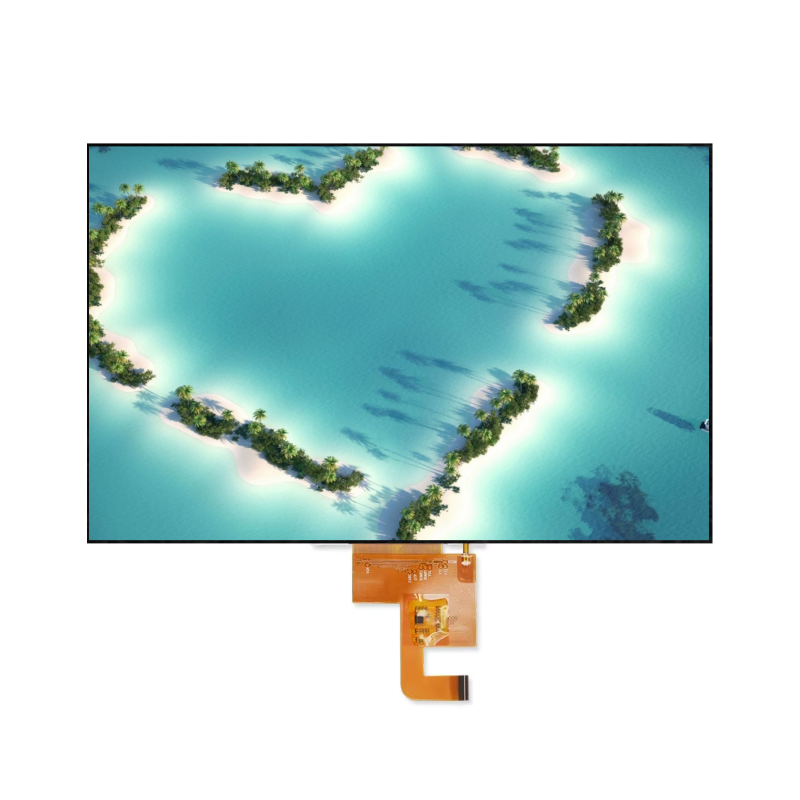
1. Resolution Fundamentals for TFT LCD Display Module Touch Screen
1.1 What Is Resolution?
Resolution refers to the number of pixels arranged horizontally and vertically on a display panel. It is typically expressed as width × height (e.g., 320×240, 800×480, 1920×1080). The total pixel count is simply the product of these two values. Common resolution designations include:
| Designation | Resolution | Typical Use Case |
|---|---|---|
| QVGA | 320×240 | Small embedded displays, basic instruments |
| WQVGA | 480×272 | Compact industrial panels, portable devices |
| HVGA | 480×320 | Early smartphones, handheld terminals |
| VGA | 640×480 | Legacy industrial systems, medical monitors |
| WVGA | 800×480 | 7-inch industrial HMI, automotive displays |
| XGA | 1024×768 | 10.4-inch medical and industrial panels |
| HD | 1280×720 | 8–10 inch consumer and industrial tablets |
| FHD | 1920×1080 | 15.6-inch industrial all-in-ones, workstations |
1.2 What Is PPI (Pixels Per Inch)?
While resolution tells you the total number of pixels, PPI (Pixels Per Inch) tells you how densely those pixels are packed. PPI is the true measure of display sharpness and is calculated as:
PPI = √(horizontal pixels² + vertical pixels²) / screen diagonal (inches)
For example, a 5.0-inch TFT LCD Display Module Touch Screen with a resolution of 480×854 has a PPI of approximately 196, calculated as √(480² + 854²) / 5.0 ≈ 196.
1.3 Resolution vs. PPI: Why the Distinction Matters
Two displays can share the same resolution but have vastly different PPI values depending on their physical size:
- A 7.0-inch 800×480 panel has a PPI of ~133
- A 4.3-inch 800×480 panel has a PPI of ~213
Both have identical pixel counts, but the smaller panel appears significantly sharper. This is why PPI—not raw resolution—should be your primary comparison metric when evaluating TFT LCD Display Module Touch Screen options across different sizes.
2. The Golden Rule: PPI vs. Viewing Distance
2.1 Human Eye Resolution Limits
The human eye can resolve individual pixels at approximately 300 PPI at a standard viewing distance of 30 cm (12 inches). Beyond this threshold, pixels become indistinguishable—a principle Apple famously branded as “Retina display.” However, this threshold changes dramatically with viewing distance:
- At 15 cm: ~600 PPI required for pixel-free perception
- At 30 cm: ~300 PPI (Retina threshold)
- At 50 cm: ~180 PPI
- At 100 cm: ~90 PPI
2.2 Recommended PPI by Application and Viewing Distance
| Application | Typical Viewing Distance | Minimum PPI | Ideal PPI | Notes |
|---|---|---|---|---|
| Wearables (smartwatches) | 15–25 cm | 250+ | 300+ | Extremely close viewing demands maximum sharpness |
| Handheld devices | 25–35 cm | 200+ | 250–326 | Daily close-range interaction |
| Industrial HMI panels | 30–50 cm | 150+ | 200+ | Operators seated or standing at workstations |
| Medical devices | 40–60 cm | 180+ | 220+ | Precise data reading, diagnostic imaging |
| Automotive dashboards | 50–70 cm | 120+ | 150–200 | Quick glances; readability trumps ultra-sharpness |
| Outdoor kiosks | 50–100 cm | 100+ | 150+ | High brightness often more critical than extreme PPI |
| Industrial large screens | 100+ cm | 80+ | 100–150 | Long-distance monitoring and control rooms |
Key Principle: As viewing distance doubles, the required PPI can be reduced by approximately 50% while maintaining perceived clarity.
2.3 The Simplified PPI Formula
For practical engineering decisions, use this rule of thumb:
Minimum Acceptable PPI ≈ 1,800 ÷ Viewing Distance (cm)
This formula provides a “clearly readable” baseline. For professional and medical applications, multiply the result by 1.2–1.5 to ensure precision.
3. Resolution Selection Guide by Screen Size
3.1 Small TFT LCD Display Module Touch Screen (0.96″ – 3.5″)
Small displays dominate wearable, portable, and compact embedded applications. Resolution selection here is particularly challenging because every pixel matters.
| Size | Recommended Resolution | PPI | Typical Application | Key Considerations |
|---|---|---|---|---|
| 0.96″ | 80×160 | ~183 | Simple status indicators, small sensors | Icons and digits only |
| 1.47″ | 172×320 | ~250 | Wearables, compact IoT terminals | ST7789 driver, SPI interface |
| 1.8″ | 128×160 | ~114 | Basic embedded projects, learning boards | Lowest cost, but limited sharpness |
| 2.2″ | 320×240 | ~182 | Industrial sensors, small control panels | ILI9341 driver, excellent value |
| 2.4″ | 240×320 | ~167 | Handheld devices, portable instruments | ST7789 driver, 42 FPS refresh |
| 2.4″ (high-res) | 480×640 | ~333 | Medical devices, premium handhelds | 800 cd/m² brightness, medical-grade |
| 3.5″ | 320×480 | ~165 | Industrial HMI, smart home panels | Balance of size and information density |
Critical Recommendation for Small Displays:
For screens 3.5 inches and below, avoid resolutions lower than QVGA (320×240) if your UI includes complex elements or multiple lines of text. A 3.5-inch 320×480 panel at 165 PPI will appear noticeably dated and low-quality. For modern product designs, 480×800 (266 PPI) is the recommended minimum to achieve a professional appearance.
3.2 Medium TFT LCD Display Module Touch Screen (4.3″ – 7.0″)
This size range represents the sweet spot for industrial HMI, medical equipment, and portable professional devices.
| Size | Recommended Resolution | PPI | Typical Application | Interface Recommendation |
|---|---|---|---|---|
| 4.3″ | 480×272 | ~128 | Industrial control, automotive navigation | RGB, cost-sensitive projects |
| 4.3″ (high-res) | 800×480 | ~213 | Premium industrial HMI, medical devices | RGB/MIPI, sharper UI elements |
| 5.0″ | 480×854 | ~196 | Portable devices, IoT gateways | SPI+RGB, ST7701 driver |
| 5.0″ (high-res) | 720×1280 | ~294 | Premium handhelds, medical imaging | MIPI DSI |
| 7.0″ | 800×480 | ~133 | Industrial HMI, self-service kiosks, smart home | RGB/LVDS, ILI6150 driver |
| 7.0″ (high-res) | 1024×600 | ~169 | Medical devices, premium industrial panels | RGB/LVDS, finer detail display |
Critical Insights for Medium Displays:
The 7-inch 800×480 configuration at 133 PPI remains the industrial workhorse. At a 50 cm viewing distance, text is clearly readable, though icon edges may show slight pixelation. Upgrading to 1024×600 (169 PPI) delivers noticeably smoother UI elements and is strongly recommended for applications displaying charts, waveforms, or detailed schematics.
3.3 Large TFT LCD Display Module Touch Screen (8.0″ – 15.6″)
Large panels serve medical imaging, industrial control consoles, automotive center stacks, and outdoor digital signage.
| Size | Recommended Resolution | PPI | Typical Application | Special Considerations |
|---|---|---|---|---|
| 8.0″ | 1280×720 | ~184 | Medical equipment, industrial consoles, automotive center stacks | 1200 cd/m² high brightness, IPS full-viewing angle |
| 10.1″ | 1280×800 | ~149 | Industrial tablets, medical imaging, educational devices | LVDS/eDP interface |
| 10.4″ | 800×600 | ~96 | Legacy industrial HMI, replacement/upgrade projects | LVDS, backward compatibility |
| 12.1″ | 1280×800 | ~124 | Medical imaging, industrial monitoring, avionics | High reliability requirements |
| 15.6″ | 1920×1080 | ~141 | Industrial all-in-ones, medical workstations, digital signage | FHD, IPS, wide color gamut |
Critical Insights for Large Displays:
For data-intensive applications such as medical imaging (X-ray, ultrasound) or CAD/CAM workstations, 1280×800 is the practical minimum for 10-inch and above panels. The 10.4-inch 800×600 configuration at only 96 PPI should be reserved for legacy system replacements or applications where viewers stand more than one meter away. For industrial all-in-one PCs, 15.6-inch FHD (1920×1080) has become the mainstream standard, offering an optimal balance of clarity and cost.
4. Resolution Selection by Application Scenario
4.1 Industrial HMI / Control Panels
Recommended Configuration: 7″ 1024×600 or 10.1″ 1280×800
PPI Requirement: ≥150 (at 40–60 cm viewing distance)
Industrial human-machine interfaces demand reliability and clarity under demanding conditions. When selecting resolution for industrial TFT LCD Display Module Touch Screen applications, consider:
- Complex process flow diagrams and real-time data charts → Prioritize higher resolution
- Gloved operation → Touch precision is independent of display resolution, but UI elements must be sized appropriately for finger interaction
- 24/7 continuous operation → Choose mature, widely available resolution specifications to ensure long-term supply stability
- Environmental factors → High-brightness backlighting (1000+ nits) often matters more than marginal PPI increases in brightly lit factory floors
4.2 Medical Devices
Recommended Configuration: 5″ 720×1280 (portable) or 10.1″ 1280×800 (desktop)
PPI Requirement: ≥180 (at 30–50 cm viewing distance)
Medical applications represent the most demanding resolution requirements:
- Diagnostic imaging (X-ray, CT, MRI, ultrasound) requires high resolution to reveal fine anatomical structures
- Regulatory compliance (FDA, CE marking) may mandate minimum display precision standards
- Color accuracy is equally critical as resolution—medical-grade panels require factory calibration to DICOM standards
- Optical bonding is strongly recommended to eliminate internal reflections that could obscure diagnostic details
4.3 Automotive Dashboards / Center Consoles
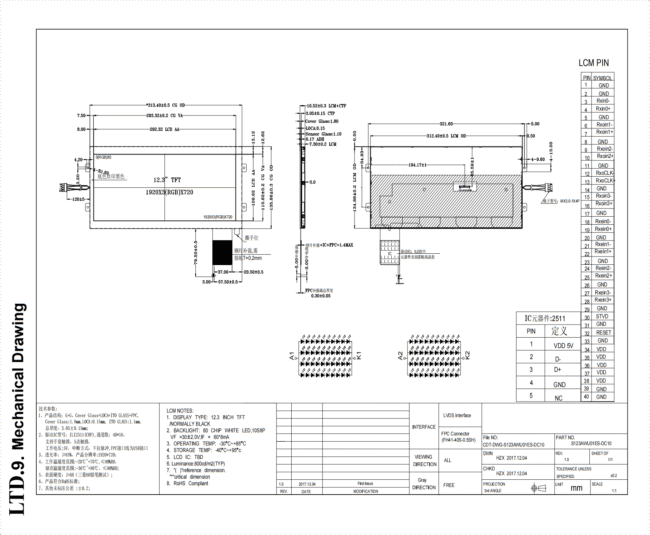
Recommended Configuration: 10.25″ 1920×720 (bar-type) or 12.3″ 1920×720
PPI Requirement: ≥120 (at 50–70 cm viewing distance)
Automotive TFT LCD Display Module Touch Screen selection involves unique trade-offs:
- Sunlight readability → High brightness (1000+ nits) is more critical than ultra-high PPI for daytime driving
- Wide temperature operation (-30°C to +85°C) → Select automotive-grade (AEC-Q100/Q200) panels
- Static UI elements → LCD is strongly preferred over OLED due to burn-in immunity for persistent dashboard icons and gauges
- Glance readability → Drivers spend only 1–2 seconds per glance; UI elements must be large and high-contrast, which can offset the need for extreme pixel density
4.4 Consumer Electronics / Portable Devices
Recommended Configuration: 2.4″ 480×640 or 3.5″ 480×800
PPI Requirement: ≥250 (at 20–30 cm viewing distance)
Consumer devices face intense cost and battery-life pressures:
- Battery endurance → Higher resolution increases both driver IC power consumption and backlight demands
- Cost optimization → Mature driver ICs (ST7789, ILI9341) reduce BOM costs while delivering acceptable performance
- Touch experience → Capacitive touch panel (CTP) resolution should ideally match display resolution for precise 1:1 mapping
- Aesthetic expectations → Consumer users expect smartphone-grade sharpness; sub-200 PPI is increasingly unacceptable
4.5 Outdoor Kiosks / Self-Service Terminals
Recommended Configuration: 15.6″ 1920×1080 or 21.5″ 1920×1080
PPI Requirement: ≥100 (at 80–150 cm viewing distance)
Outdoor applications prioritize environmental resilience over pixel density:
- High brightness (1000+ nits) + optical bonding > marginal PPI improvements for direct sunlight readability
- Anti-glare (AG) surface treatment reduces reflections and improves perceived clarity more effectively than resolution increases
- Multi-touch precision → Large panels require robust multi-touch controllers to support complex gestures at scale
- Vandal resistance → Tempered cover glass adds thickness but does not significantly degrade perceived resolution at typical kiosk viewing distances
5. Resolution, Interface, and Performance Interdependencies
5.1 Resolution vs. Interface Bandwidth Requirements
Higher resolutions demand proportionally higher data throughput. Selecting the wrong interface will result in flickering, tearing, or inability to achieve target refresh rates.
| Resolution | Color Depth | Refresh Rate | Minimum Interface | Recommended Interface |
|---|---|---|---|---|
| 320×240 | 16-bit | 60 Hz | SPI (20 MHz+) | SPI / Parallel 8-bit |
| 480×272 | 16-bit | 60 Hz | SPI (30 MHz+) | RGB 8-bit |
| 800×480 | 16-bit | 60 Hz | RGB 16-bit | RGB 18-bit / LVDS |
| 1024×600 | 16-bit | 60 Hz | RGB 24-bit | LVDS / MIPI DSI |
| 1280×720 | 24-bit | 60 Hz | LVDS / MIPI | MIPI DSI / eDP |
| 1920×1080 | 24-bit | 60 Hz | Dual-channel LVDS | MIPI DSI / eDP |
Key Insight: SPI interfaces are suitable only for small, low-resolution panels. Once you exceed 800×480, RGB or LVDS becomes necessary. For FHD (1920×1080) and above, MIPI DSI or eDP is the only practical choice for modern embedded systems.
5.2 Resolution vs. Processor and Memory Requirements
The frame buffer size is calculated as:
Frame Buffer (bytes) = Horizontal Pixels × Vertical Pixels × Color Depth (bits) ÷ 8
For example, an 800×480 panel at 16-bit color requires:
800 × 480 × 16 ÷ 8 = 768,000 bytes (~750 KB)
MCU Capability Guidelines:
| Resolution | Minimum MCU Class | Recommended Platform | Notes |
|---|---|---|---|
| Up to 320×240 | Arduino Uno / ESP32 | ESP32 with SPI | Straightforward, widely supported |
| Up to 480×320 | ESP32-S3 / STM32F4 | STM32F4 with FSMC | Parallel interface required |
| Up to 800×480 | STM32F7 / STM32H7 | STM32H7 with LTDC | Hardware acceleration recommended |
| 1024×600+ | i.MX RT / Raspberry Pi | Raspberry Pi / i.MX8 | Linux-based SBC for complex UIs |
| 1920×1080 | i.MX8 / Rockchip | Industrial SBC with GPU | Dedicated graphics processing essential |
5.3 Resolution vs. Power Consumption
Higher resolutions increase power consumption through three mechanisms:
- Driver IC power → More pixels require more switching energy
- Backlight power → Higher-resolution panels often have lower pixel aperture ratios, requiring brighter backlights to maintain perceived luminance
- Processor power → Rendering complex UIs at high resolution demands more CPU/GPU cycles
Power Optimization Strategies:
- Use partial refresh for static UI elements instead of full-screen updates
- Reduce color depth to 16-bit where 24-bit is unnecessary
- Lower refresh rate to 30 Hz for static content applications
- Implement adaptive brightness based on ambient light sensors
6. Common Resolution Selection Mistakes and How to Avoid Them
6.1 Mistake #1: “Higher Resolution Is Always Better”
The Problem: Blindly pursuing maximum resolution leads to skyrocketing costs, overloaded processors, excessive power draw, and diminishing visual returns.
The Solution: Apply the PPI formula (PPI ≥ 1,800 ÷ viewing distance) to determine the “just sufficient” resolution for your application. A 7-inch industrial panel at 1024×600 (169 PPI) viewed from 50 cm is indistinguishable from 1280×800 (216 PPI) to the naked eye, yet the latter costs 30–40% more and demands significantly more processing power.
6.2 Mistake #2: Comparing Total Pixels Instead of PPI
The Problem: A buyer compares a 10.1-inch 1280×800 panel (149 PPI) against a 7-inch 1024×600 panel (169 PPI) and assumes the larger panel is sharper because it has more total pixels.
The Solution: Always normalize comparisons using PPI. The 7-inch panel has 13% higher pixel density despite fewer total pixels, making it visibly sharper at equivalent viewing distances.
6.3 Mistake #3: “Small Screen, Low Resolution—Good Enough”
The Problem: A 3.5-inch 320×480 panel (165 PPI) is selected for a handheld medical device. Users report that text appears fuzzy and icon edges show visible stair-stepping (aliasing).
The Solution: For screens below 3.5 inches displaying text-based UIs, 480×800 (266 PPI) is the modern minimum. The cost difference is typically only $2–5 per unit at volume, while the user experience improvement is dramatic.
6.4 Mistake #4: Ignoring Content Type
The Problem: A video surveillance monitor and a text-based industrial controller both use 800×480 resolution. The surveillance footage appears blocky and lacks detail, while the controller UI looks acceptable.
The Solution: Content type significantly impacts perceived resolution requirements:
- Pure text/numeric interfaces: PPI requirements can be reduced by 20–30%
- Images, video, maps: PPI requirements increase by 20–30%
- Medical imaging / CAD / technical schematics: Maximum PPI affordable should be selected
6.5 Mistake #5: Neglecting Long-Term Availability
The Problem: An exotic resolution (e.g., 960×540) is selected for a unique industrial application. Two years into production, the panel is discontinued, forcing a costly redesign.
The Solution: Prioritize market-standard resolutions: 320×240, 480×272, 800×480, 1024×600, 1280×800, 1920×1080. These specifications have the largest manufacturing volumes, the most diverse supplier bases, and the longest production lifecycles.
7. 2026 TFT LCD Display Module Touch Screen Resolution Trends
7.1 Industrial Displays Upgrade to FHD and Beyond
Traditional industrial HMI has long been dominated by 800×480 panels. In 2026, an increasing number of applications are demanding 1280×720 and higher. This shift is driven by:
- 3D equipment rendering in digital twin interfaces
- AI-generated anomaly visualizations requiring fine detail
- Multi-window operations that demand higher information density
- Operator expectations shaped by consumer tablet experiences
Forward-thinking engineers are now specifying FHD-ready interfaces (MIPI DSI or eDP) even if initial deployments use lower resolutions, enabling seamless future upgrades.
7.2 High-PPI Small Panels Enter the Mainstream
Ultra-fine small displays are no longer confined to premium smartphones. A 2.4-inch 480×640 panel delivering 333 PPI is now commercially viable for medical devices and high-end handheld instruments at volume pricing. Advanced driver ICs such as the ST7701S have reduced the cost premium for these configurations by approximately 40% compared to 2023 levels.
7.3 Specialty Aspect Ratios Gain Traction
Standard 4:3 and 16:9 resolutions no longer satisfy all application needs:
- Bar-type displays: 12.3″ 1920×720, 8.8″ 480×1920 — ideal for automotive instrument clusters and shelf-edge retail signage
- Square displays: 4.0″ 720×720 — popular for smart home control panels and industrial push-button interfaces
- Circular displays: 2.1″ 480×480 — emerging in smartwatches and automotive gauge clusters
These non-standard resolutions require careful validation of driver IC support and UI framework compatibility during the design phase.
7.4 Touch Resolution Synchronization
Capacitive touch panels (CTPs) are evolving from traditional 1024×1024 coordinate resolutions toward higher precision to match display pixel densities. In high-end medical and industrial applications, 1:1 touch-to-display resolution mapping is becoming a requirement to ensure that touch input aligns precisely with on-screen elements, particularly for stylus-based annotation and precision control.
8. Resolution Selection Decision Framework
Use this systematic process to arrive at the optimal TFT LCD Display Module Touch Screen resolution for your project:
START
  │
  ▼
Step 1: Define Application Category
        ├── Industrial HMI
        ├── Medical Device
        ├── Automotive
        ├── Consumer / Portable
        └── Outdoor / Kiosk
  │
  ▼
Step 2: Determine Typical Viewing Distance
        ├── < 30 cm (wearable, handheld)
        ├── 30–60 cm (industrial, medical)
        ├── 60–100 cm (automotive, kiosk)
        └── > 100 cm (large screen, monitoring)
  │
  ▼
Step 3: Determine Physical Screen Size
        ├── < 3.5" (compact embedded)
        ├── 4.3" – 7" (standard industrial)
        ├── 8" – 12" (medical, automotive)
        └── > 12" (workstation, signage)
  │
  ▼
Step 4: Define Content Type
        ├── Text / numeric only
        ├── Simple UI (buttons, icons)
        ├── Complex charts / waveforms
        └── High-detail images / video
  │
  ▼
Step 5: Calculate Minimum PPI
        PPI = 1,800 ÷ Viewing Distance (cm)
        Apply multiplier: ×1.0 (text), ×1.2 (images), ×1.5 (medical imaging)
  │
  ▼
Step 6: Match to Standard Resolution
        Consult size-specific recommendation tables
        Select nearest standard resolution with PPI ≥ calculated minimum
  │
  ▼
Step 7: Verify Interface Compatibility
        ├── SPI: suitable for < 480×320
        ├── RGB: suitable for < 1024×600
        ├── LVDS: suitable for < 1920×1080
        └── MIPI DSI / eDP: required for ≥ 1280×720
  │
  ▼
Step 8: Verify Processor Capability
        ├── RAM ≥ Frame Buffer × 2 (double buffering)
        ├── CPU/GPU capable of target refresh rate
        └── Driver libraries available for chosen interface
  │
  ▼
Step 9: Confirm Supply Chain Stability
        ├── Resolution is market-standard?
        ├── Multiple supplier sources available?
        └── Minimum 5-year production commitment?
  │
  ▼
FINAL SELECTION CONFIRMED
9. Frequently Asked Questions (FAQ)
Q1: What resolution should I choose for my project?
Apply the formula: PPI ≥ 1,800 ÷ viewing distance (cm). For example, a 7-inch panel viewed from 50 cm requires a minimum PPI of 36, but we strongly recommend at least 150 PPI for professional clarity. This corresponds to approximately 1024×600 for a 7-inch display.
Q2: How much more does a higher-resolution panel cost?
Typically, each resolution tier increase (e.g., 800×480 → 1024×600) adds 15–30% to the bare panel cost. However, system-level costs may increase further due to interface upgrades, more powerful processors, and larger memory requirements.
Q3: Can I change the resolution of a TFT LCD Display Module Touch Screen after purchase?
No. Resolution is a physical property determined by the pixel array manufactured into the glass substrate. However, you can use software scaling to display lower-resolution content, or rotate the display orientation (portrait/landscape) if the driver IC supports it.
Q4: Does touch resolution need to match display resolution?
Not strictly, but matching is recommended for precision applications. Capacitive touch panels have their own coordinate resolution (e.g., 1024×1024 or 4096×4096), which the touch controller maps to the display resolution. For medical and design applications, 1:1 mapping ensures pixel-accurate touch input.
Q5: Why does my high-PPI small panel still look unclear?
Resolution is one of several clarity factors. Check for: (1) low-quality panel or driver IC, (2) uneven backlighting, (3) thick touch sensor layer reducing light transmission, (4) lack of optical bonding causing parallax, or (5) incorrect gamma/color calibration.
Q6: Do industrial applications ever need 4K resolution?
Rarely. A 15.6-inch 4K panel (282 PPI) exceeds the requirements for typical 50–100 cm industrial viewing distances. 4K is justified only for specialized applications such as medical diagnostic imaging, broadcast monitoring, or precision CAD/CAM workstations where viewers work at 30–40 cm distances.
10. Conclusion
Selecting the optimal resolution for your TFT LCD Display Module Touch Screen is not about maximizing pixel count—it is about matching pixel density to your application’s viewing distance, content type, and performance constraints.
Key Takeaways:
- PPI trumps raw resolution — Always normalize comparisons using pixel density, not total pixels.
- Viewing distance dictates PPI requirements — Use PPI ≥ 1,800 ÷ distance(cm) as your baseline.
- Content type matters — Medical imaging and video demand higher PPI than text-based UIs.
- Interface and processor must keep pace — A high-resolution panel is worthless without sufficient bandwidth and processing power.
- Choose standard resolutions — Market-standard specifications ensure supply stability and cost competitiveness.
Final Recommendations by Category:
- < 3.5-inch handheld devices: Minimum 480×640 (250+ PPI), ideal 640×960 (326 PPI)
- 4.3–7-inch industrial HMI: Minimum 800×480 (133+ PPI), ideal 1024×600 (169 PPI)
- 8–12-inch medical / automotive: Minimum 1280×720 (184 PPI), ideal 1920×1080 (141 PPI at 15.6″)
- > 12-inch outdoor / signage: Minimum 1920×1080 (141 PPI at 15.6″), with viewing distance allowing lower effective requirements
By applying the principles, formulas, and decision frameworks outlined in this guide, you can confidently select a TFT LCD Display Module Touch Screen resolution that delivers optimal visual performance, cost efficiency, and long-term reliability for your specific application.